UNLOCK
 THE FULL POTENTIAL
OF ON-SET DATA

QTAKE Sync is a unique collaboration system designed 
for film productions of any size and budget.
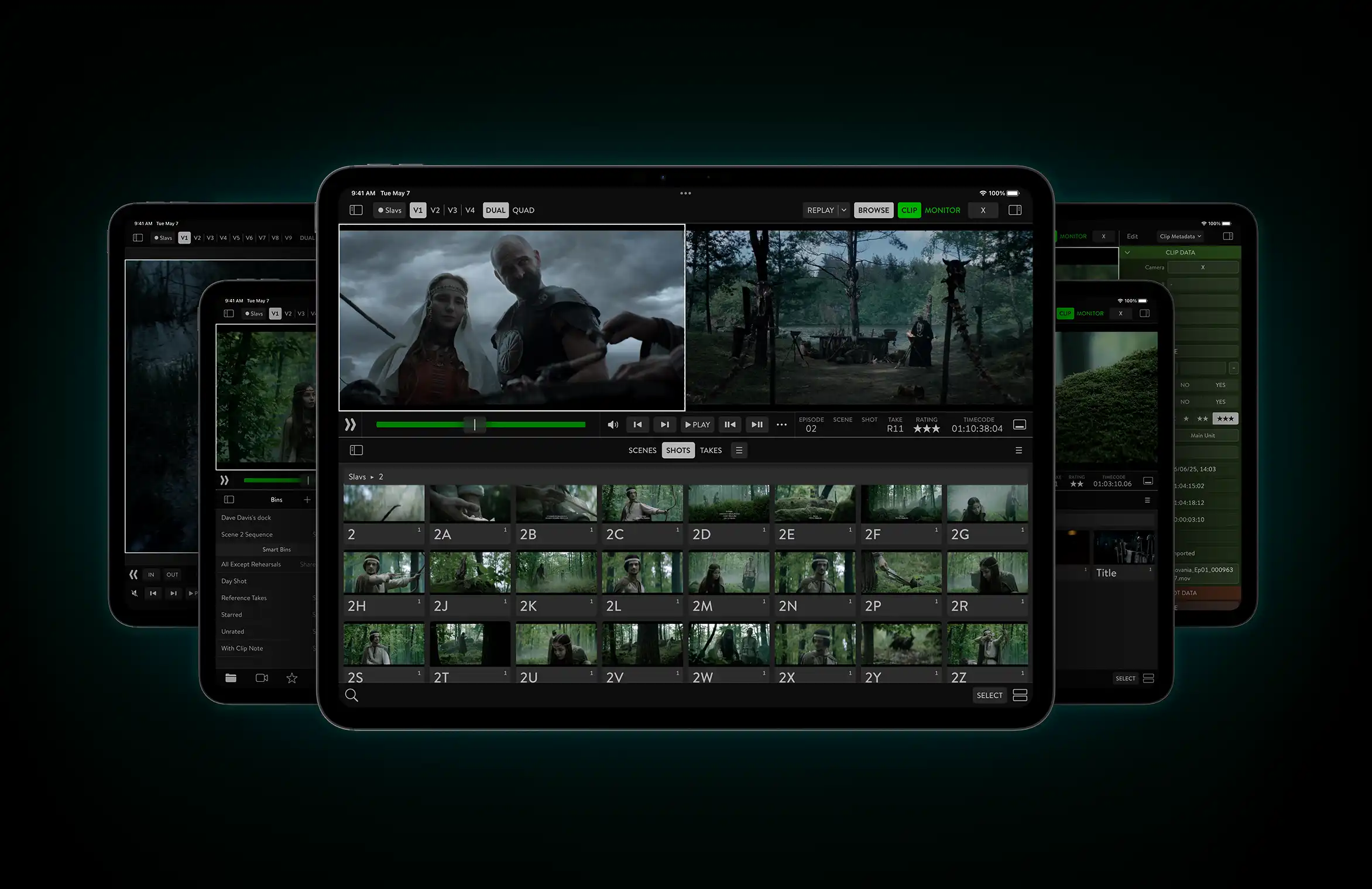
QTAKE Sync app • The future of on-set workflow
ARE YOU ON THE SAME PAGE?

Film production moves fast, with constant changes throughout the day.
Outdated information can slow teams down and lead to costly mistakes.

QTAKE Sync solves this problem by synchronizing project updates in real time across all connected and authorized devices – no manual refreshing required. A new script revision? No problem. Once imported, new pages are automatically distributed to all departments, ensuring nothing gets missed.

INSTANT
SYNCHRONIZATION

SMART
ORGANIZATION

PIXEL-PERFECT
REVIEW

COLLABORATION
WITH CONTEXT

NO UPLOADS, NO WAITING.
JUST IMMEDIATE ACCESS.

Whatever you need to share on a film set is instantly accessible – no internet connection required. Share call sheets, breakdowns, previs, scripts, and, most importantly, fresh takes. Drop any asset into the watch folder or record a clip with QTAKE, and authorized crew members can immediately review or comment on it.

INSTANT
SYNCHRONIZATION

SMART
ORGANIZATION

PIXEL-PERFECT
REVIEW

COLLABORATION
WITH CONTEXT

DITCH THE CHAOTIC DUMPS OF FILES.
FIND THE RIGHT TAKE QUICKLY.

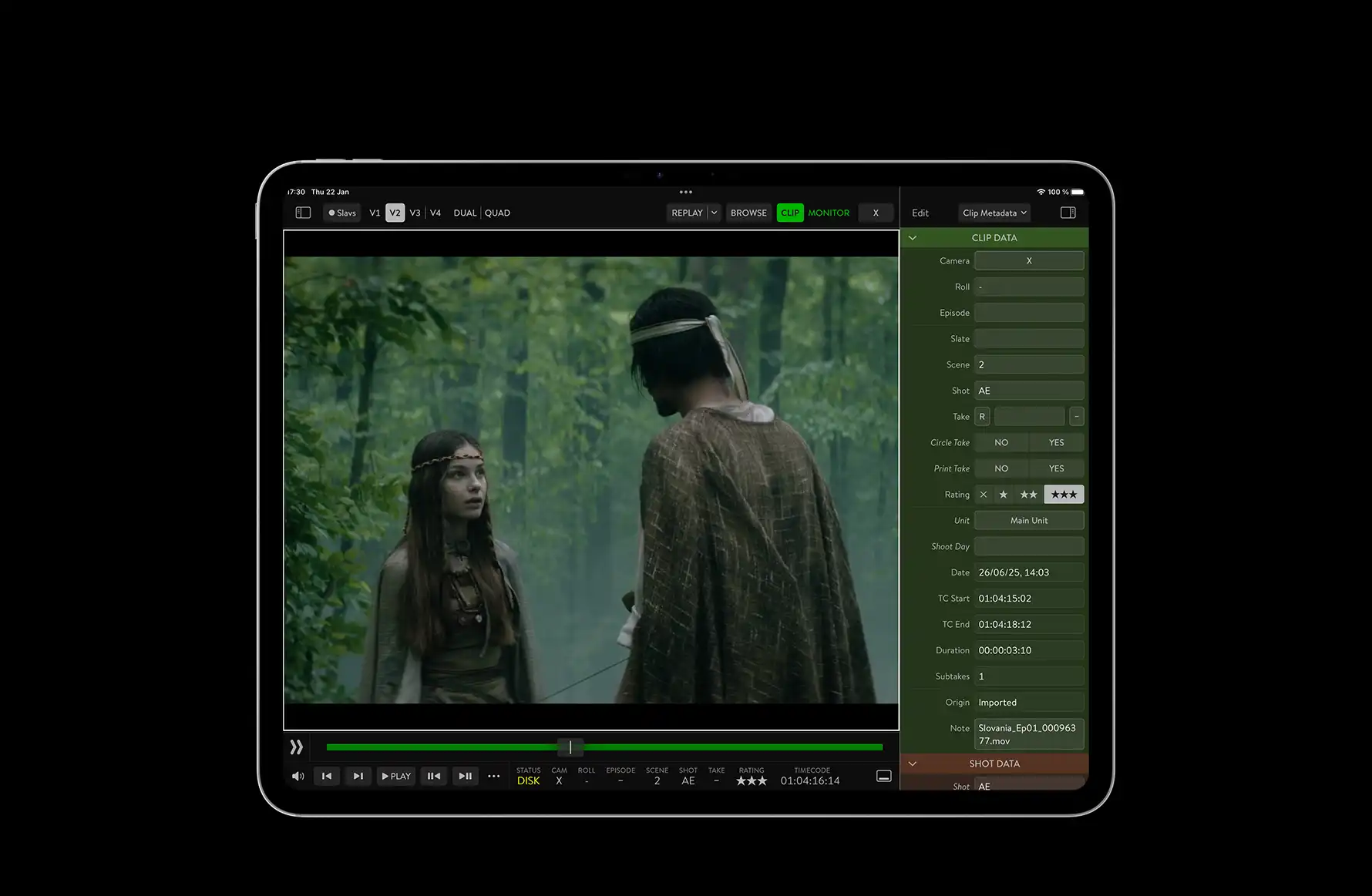
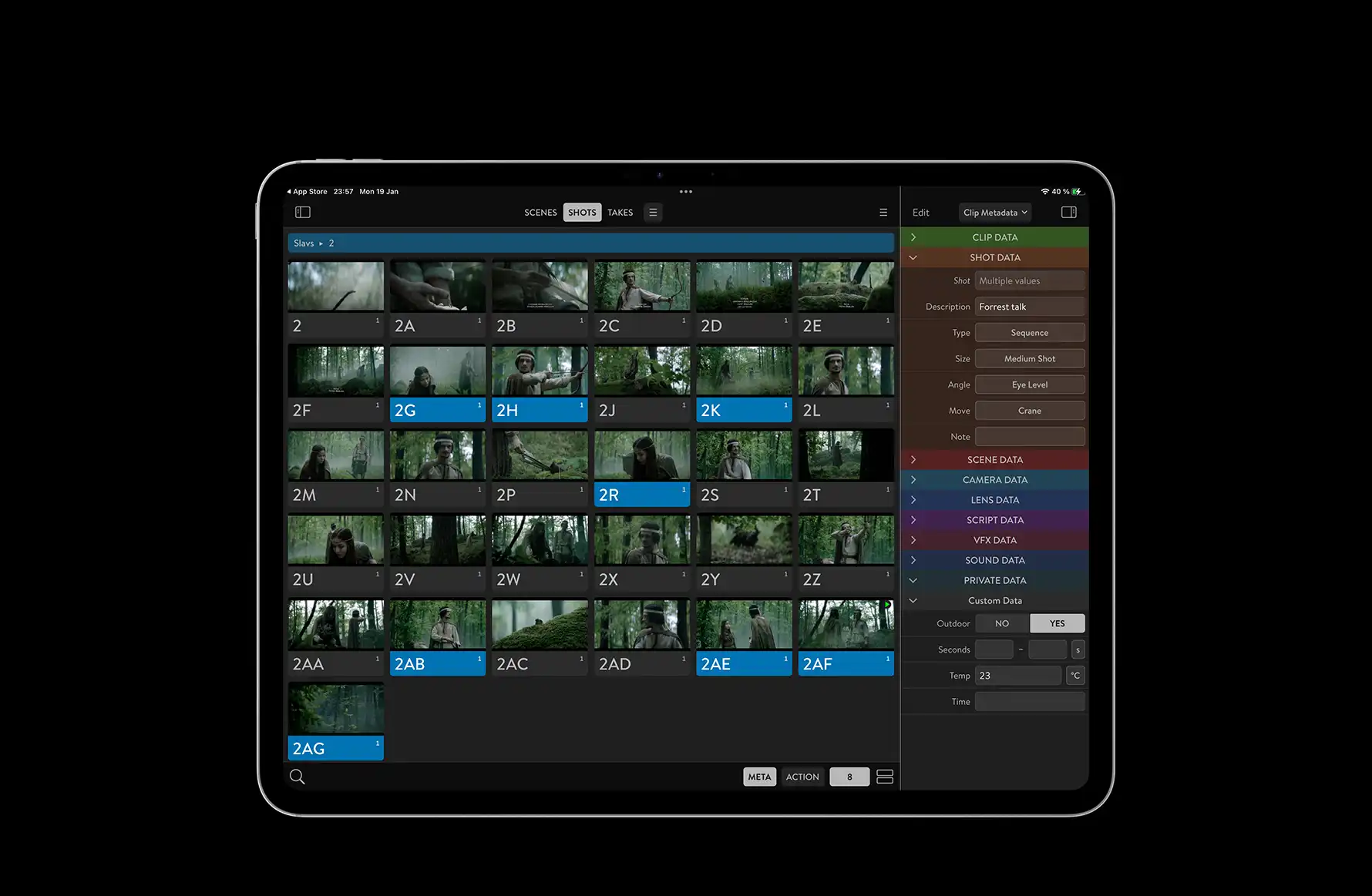
Every project in QTAKE Sync comes logically structured, pre-organized, and enriched with extensive metadata – including slate information, ratings, camera and lens data, and unique script coverage that allows you to locate clips covering specific parts of the script.

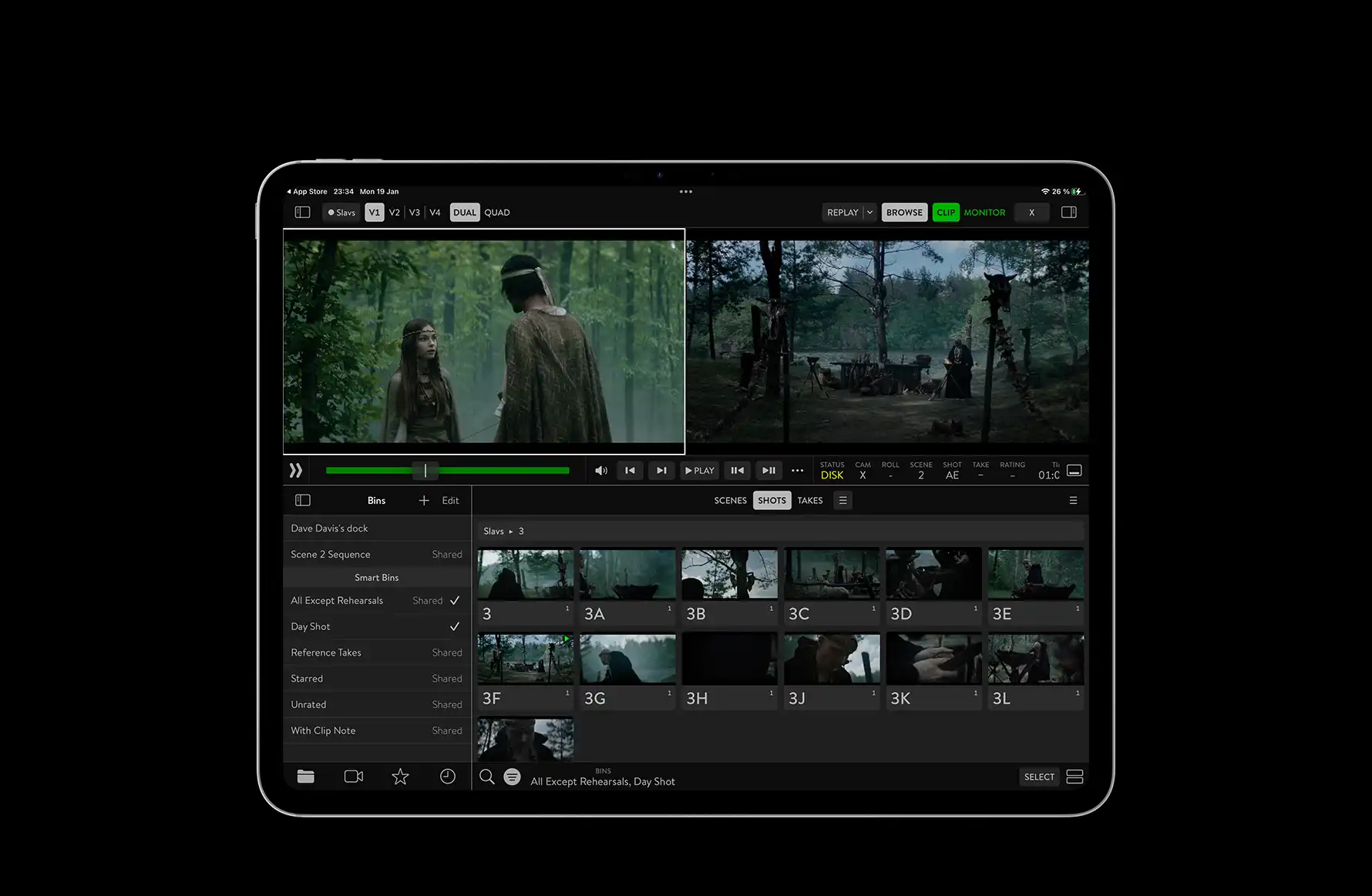
QTAKE Monitor is a free end-user app that provides a multi-view player and a powerful visual browser with intuitive navigation, smart filtering, tagging, grouping, and sorting based on both predefined and custom metadata. Even with thousands of clips, browsing remains fast and fluid.
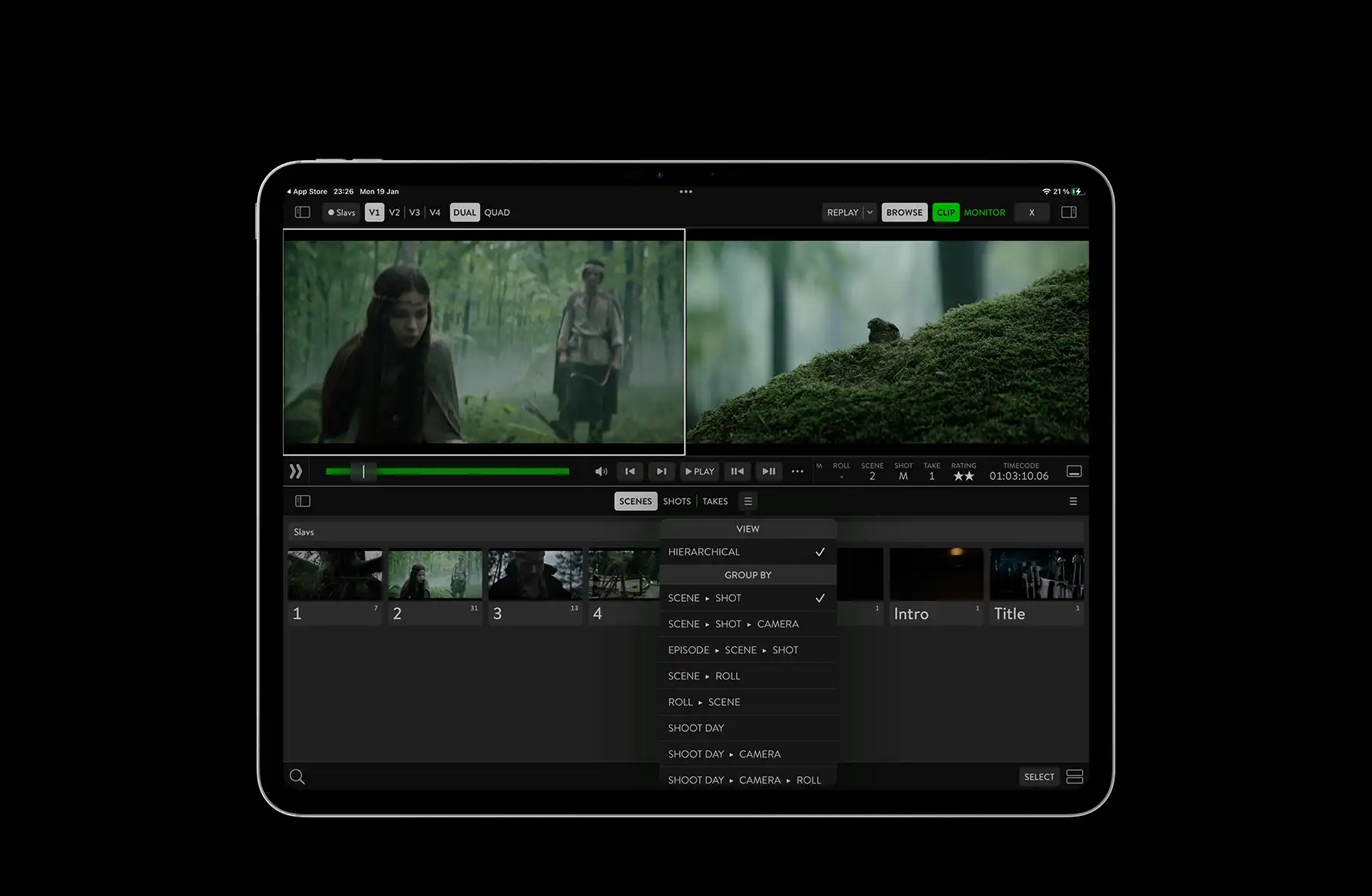
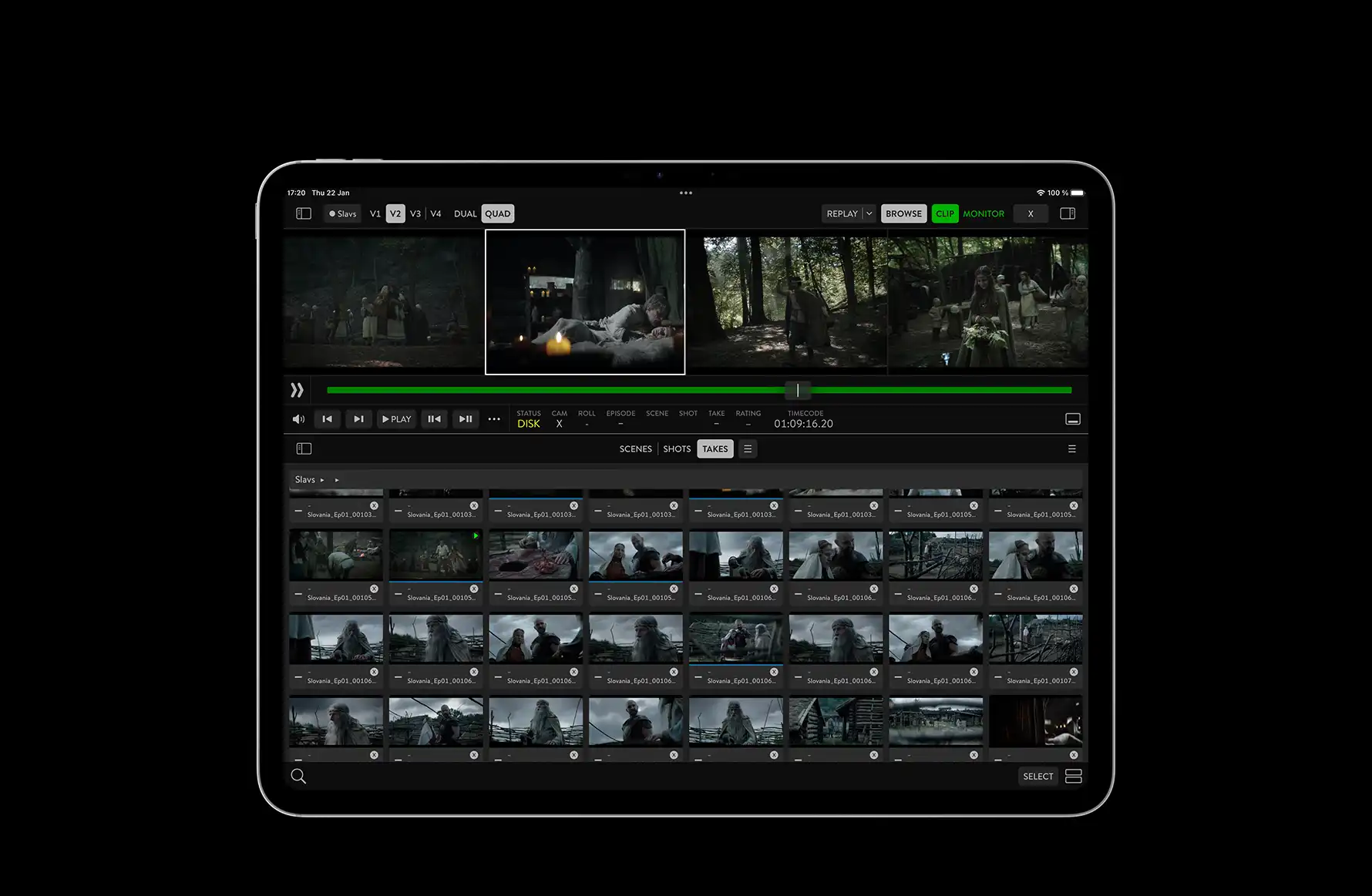
Navigate projects quickly using a visual tree browser
Browse and manage thousands of assets smoothly
Organize clips using filters and smart collections
Work with pre-defined metadata fields
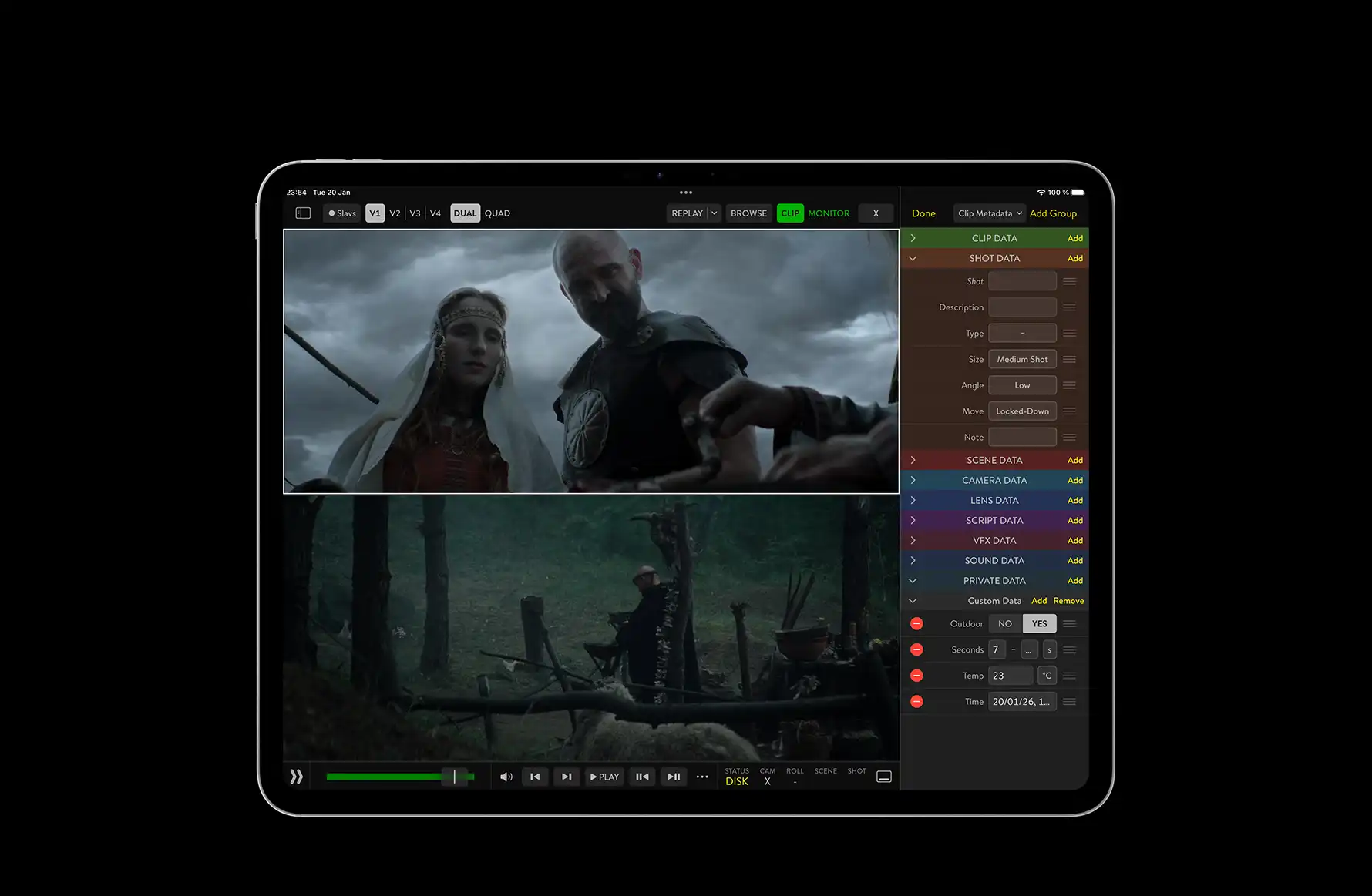
Add custom metadata fields with variable types
Edit metadata in bulk across multiple assets

INSTANT
SYNCHRONIZATION

SMART
ORGANIZATION

PIXEL-PERFECT
REVIEW

COLLABORATION
WITH CONTEXT

REVIEW EVERY DETAIL.
DECIDE WITH CONFIDENCE.

QTAKE Sync offers independent playback of up to 4K proxies in HDR with a fully customizable viewing experience. Use in-view controls and metadata panels, or switch to full-screen unobstructed playback – including immersive viewing on Apple Vision Pro, supporting 2D, 3D, and VR.

Playback features include multiple clip ranges, synchronized views of multiple cameras, scrubbing, and frame-by-frame review, giving creative teams precise technical control over every take, including framing, masks and scopes.
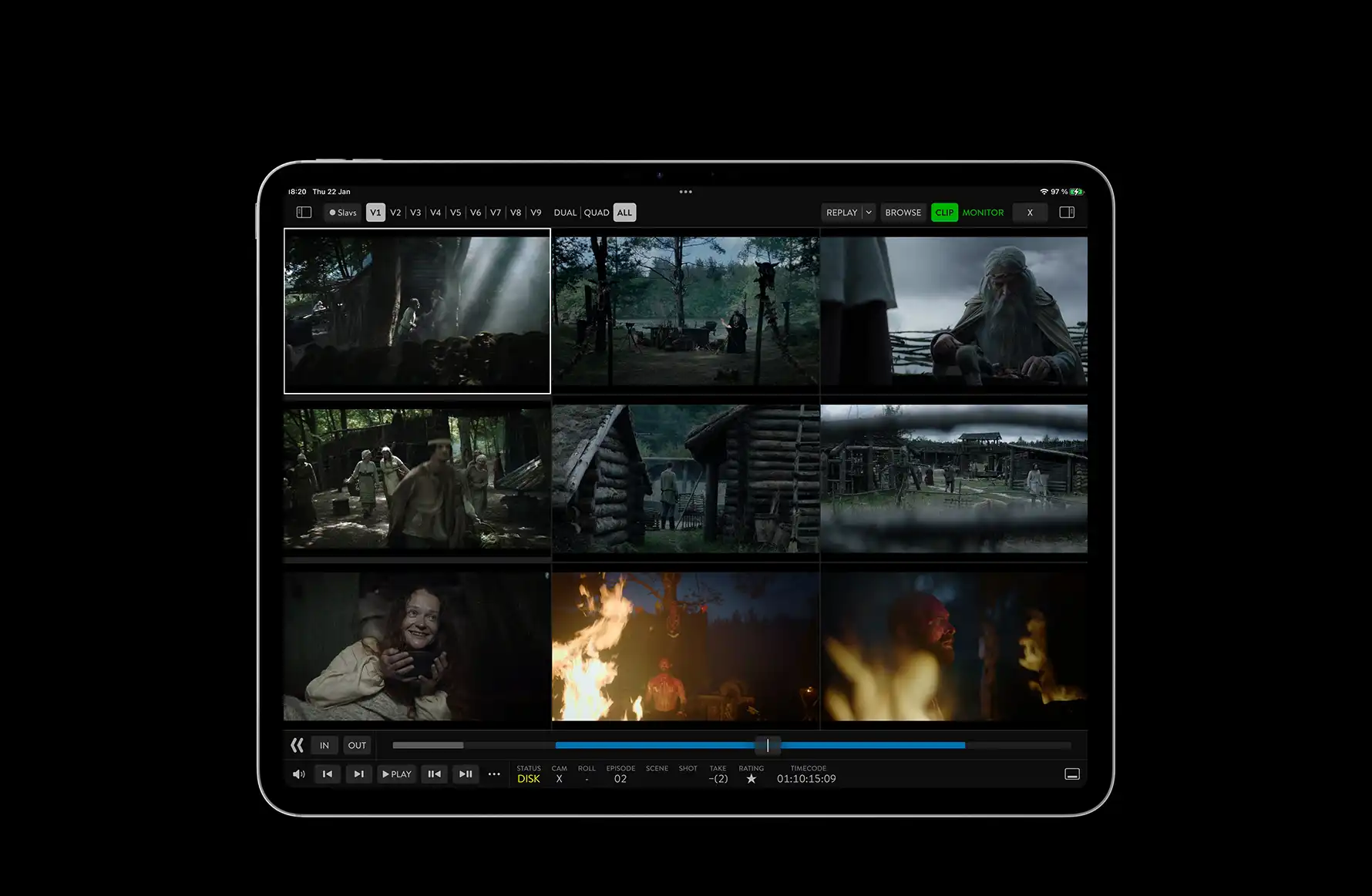
Multi-view with up to 9 live streams or playback
Scopes, LUTs, frame lines, and other view effects
Full-screen mode with hidden on-screen controls

INSTANT
SYNCHRONIZATION

SMART
ORGANIZATION

PIXEL-PERFECT
REVIEW

COLLABORATION
WITH CONTEXT

MEDIA, METADATA, NOTES, AND APPROVALS.
ALL IN ONE PLACE.

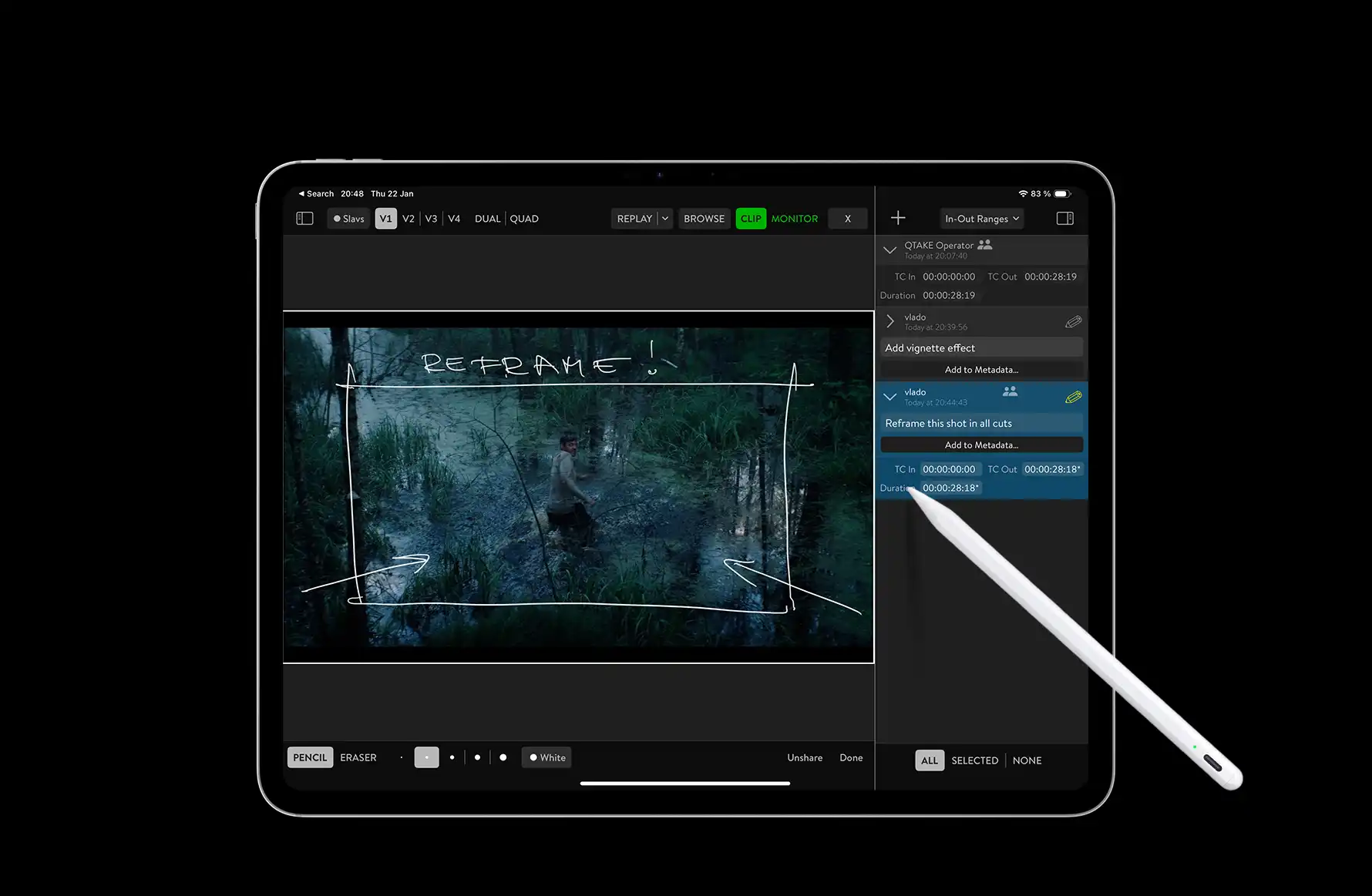
Crew members can provide feedback directly within the QTAKE project, referencing both live and recorded shots, updating pre-built or custom metadata, and adding notes or drawings addressing clips or specific frame ranges.

By attaching all information to respective assets, the project becomes a central hub for production and postproduction information, keeping workflows organized and avoiding orphaned notes.

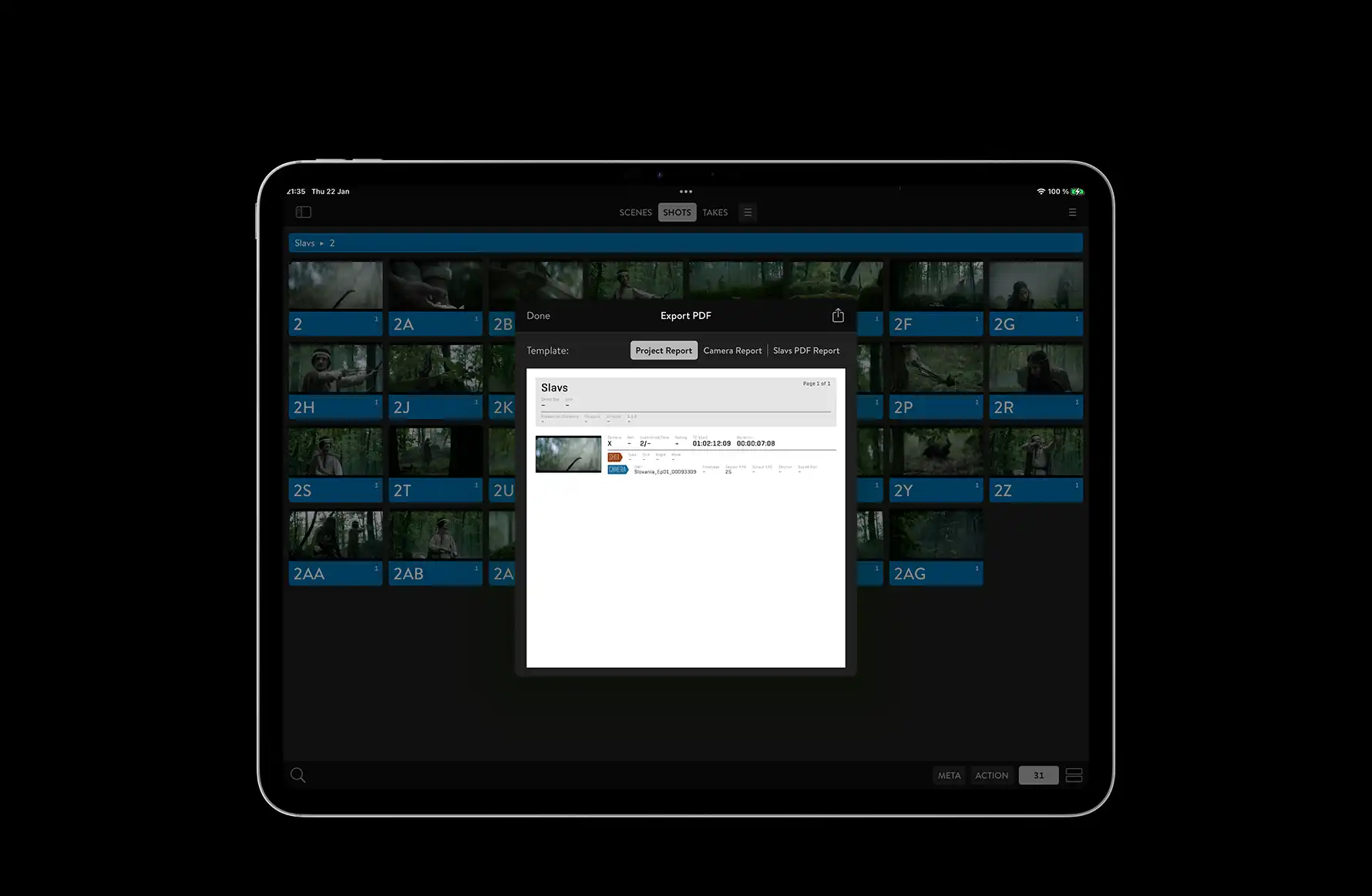
If paper-based output is required, users can generate personalized PDF reports for selected items, providing a clear, shareable summary of notes, metadata, and decisions. This structured, contextual collaboration helps teams make effective decisions with full awareness of every detail.
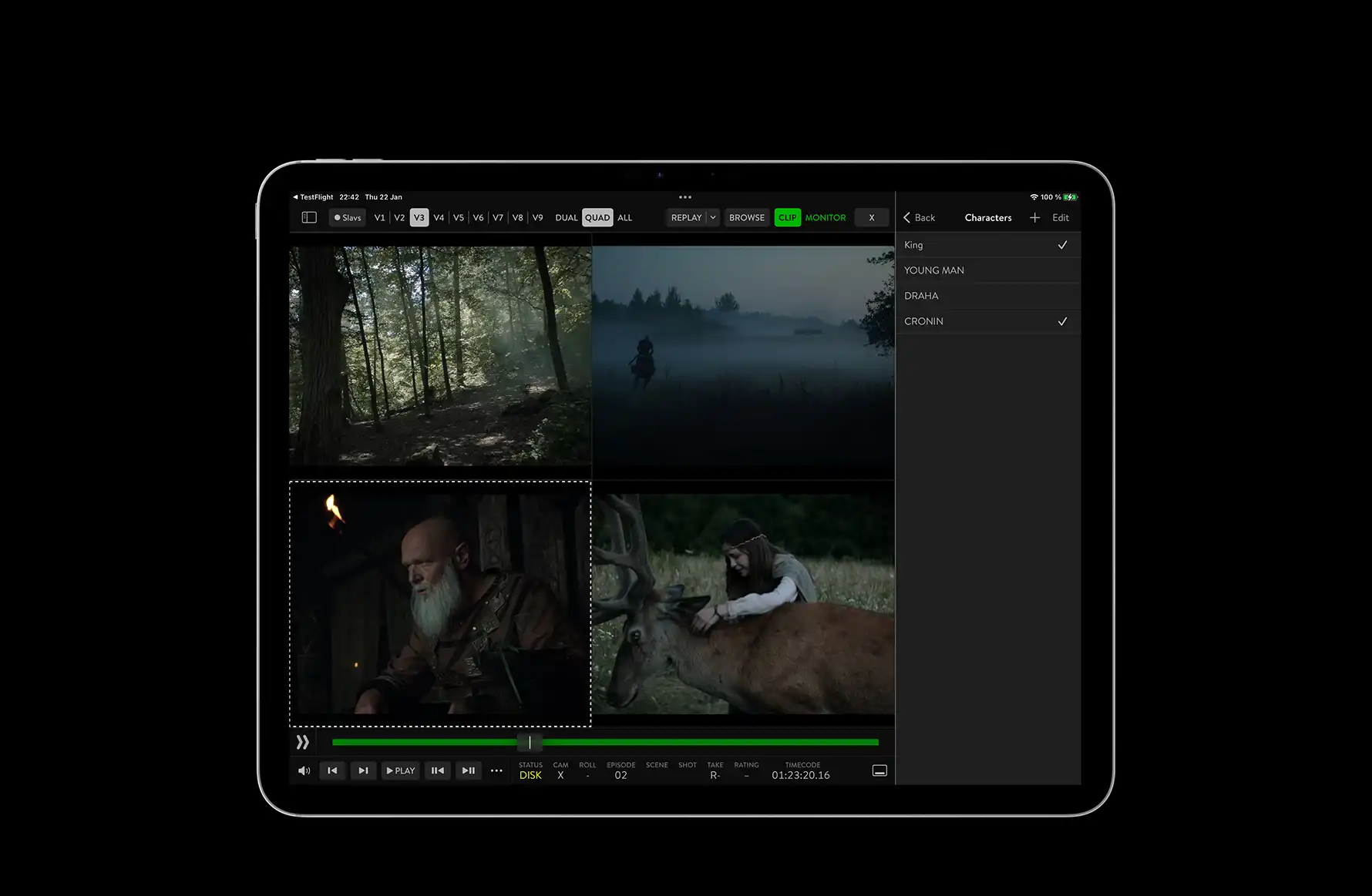
Quick metadata entry using keywords and pickers
Frame ranges for QC comments or hand-drawn notes
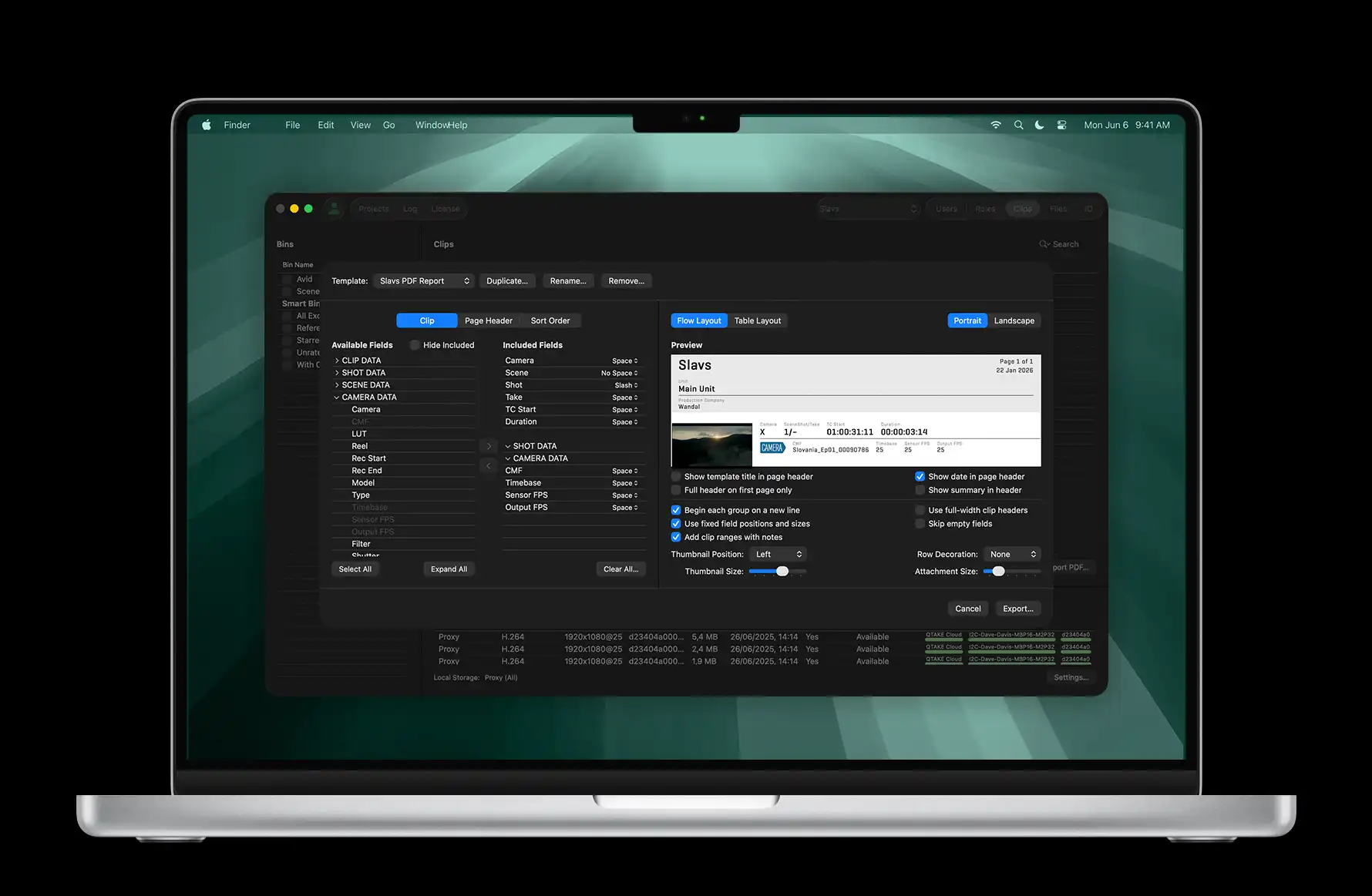
Customizable PDF reports for any film department

NO INTERNET? NO PROBLEM.

Unlike other dailies systems,QTAKE apps provide full functionality without internet connection.
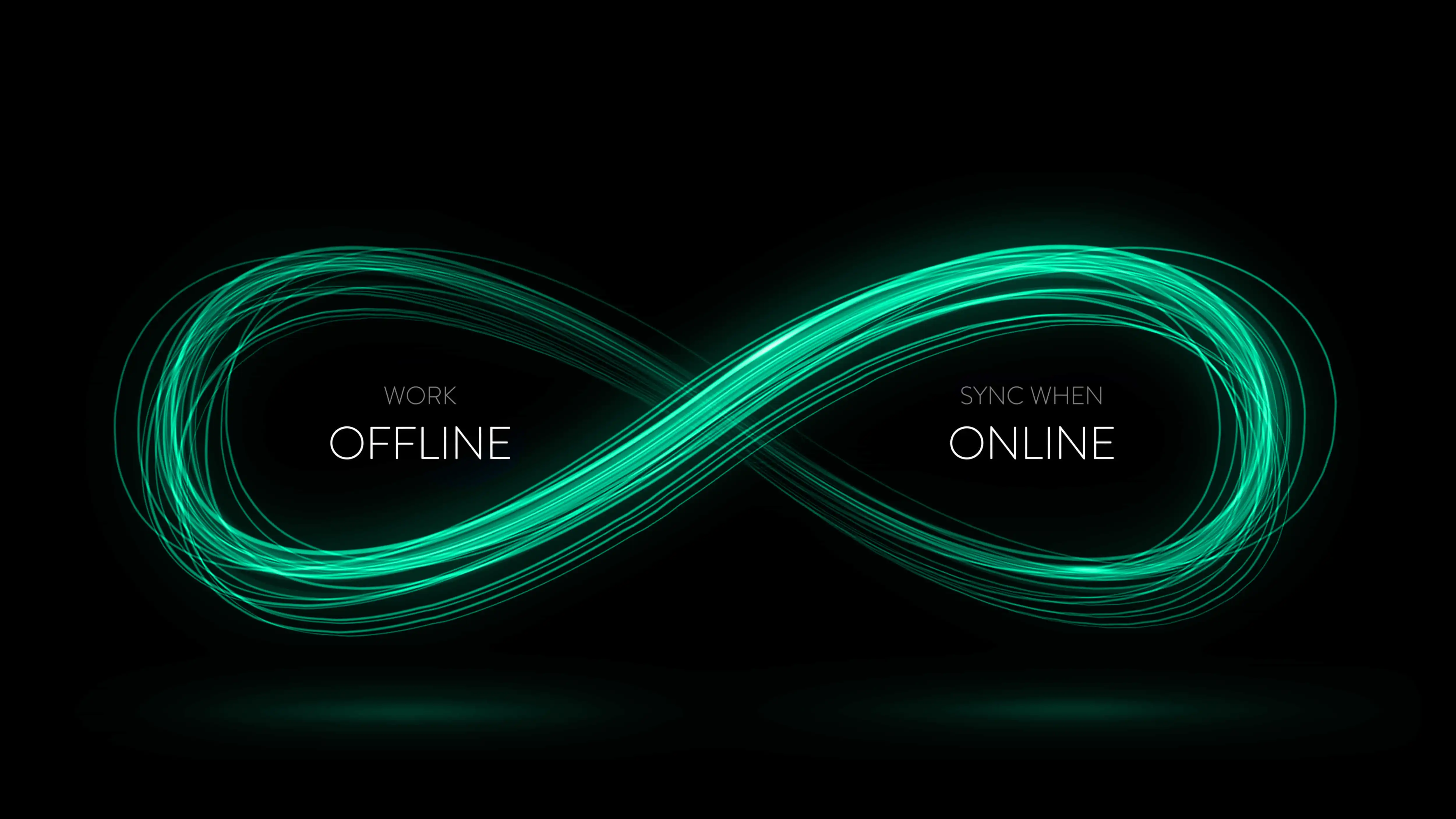
QTAKE apps - full functionality without internet connection, automatically synchronize

When necessary, you can work offline and
automatically synchronize as soon as internet connection is available.

DUAL POWER PLAY

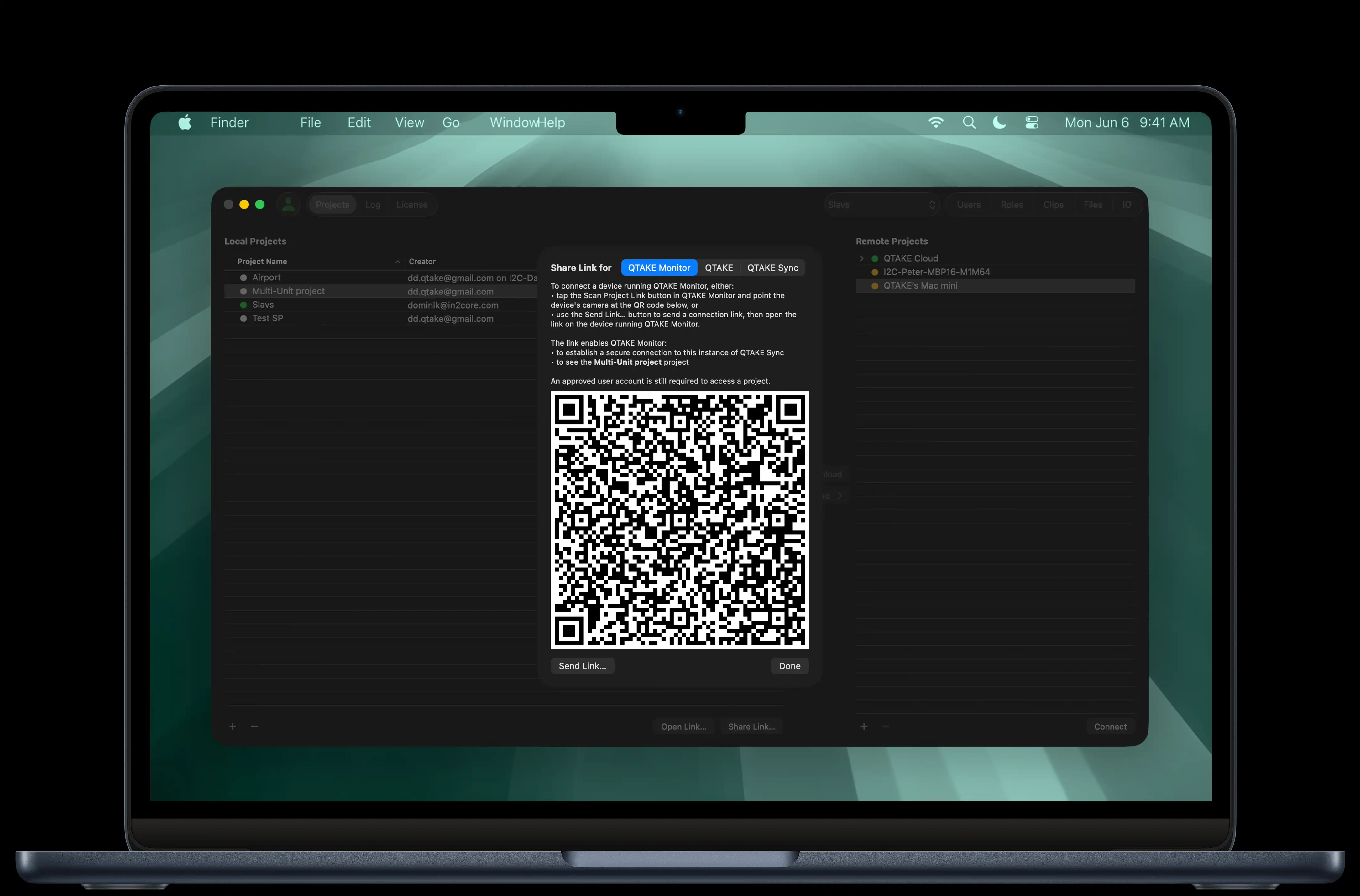
QTAKE Sync is operated through two complementary applications, each designed for a specific role on set. The QTAKE Monitor application is dedicated for end users across departments, while the QTAKE Sync application handles project administration. In addition, the QTAKE Sync application can also be used without a paid license for uploading assets only, making it suitable for units or crew members who need to contribute media without accessing review or annotation tools.

QTAKE Monitor app
QTAKE Monitor app
QTAKE Sync app
QTAKE Sync app

QTAKE MONITOR APPLICATION

THE ONE APP TO RULE THEM ALL

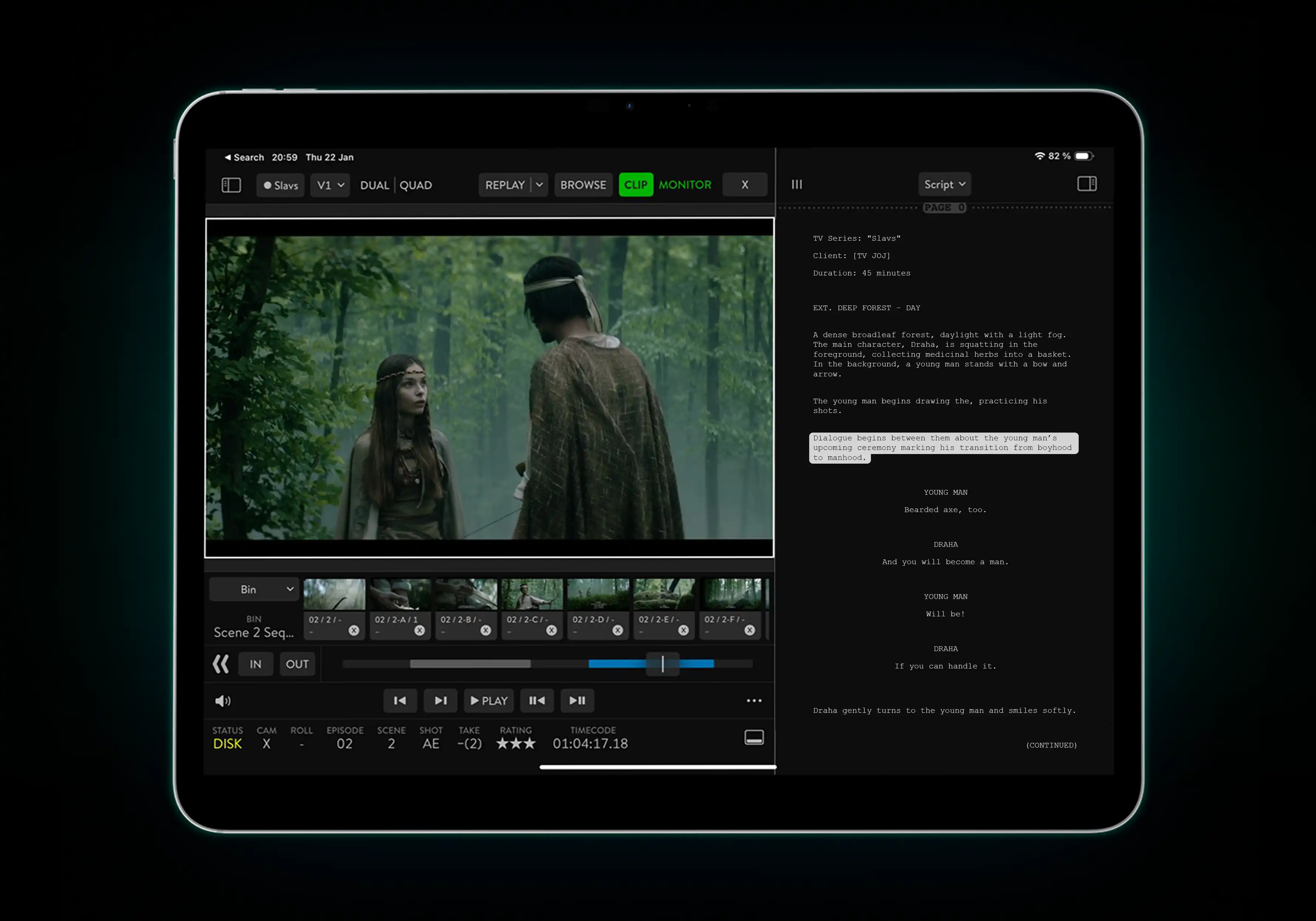
QTAKE Monitor is the primary end-user application which combines wireless multi-camera monitoring, personal video playback, and collaborative metadata editing in a single app. It represents a true paper-less alternative to note-taking for any department, keeping all data accessible, organized and attached to multi-media assets.
QTAKE Sync reframe

From script coverage and previz to dailies export and PDF reports, the QTAKE ecosystem handles on-set tasks effortlessly – eliminating redundant data entry through real-time synchronization across all devices. Remember when ACs, script supervisors, and VFX teams had to manually enter lens info? Now we pull it straight from the camera feed and share it instantly, so any crew member can drop it right into their reports!

QTAKE Monitor scales easily from small productions to large, multi-unit shows. It delivers full functionality on a local network and extends seamlessly to cloud-based workflows for remote access. When leaving the set, devices automatically reconnect to the cloud project to stay in sync.

IMMERSIVE VIDEO PRODUCTION

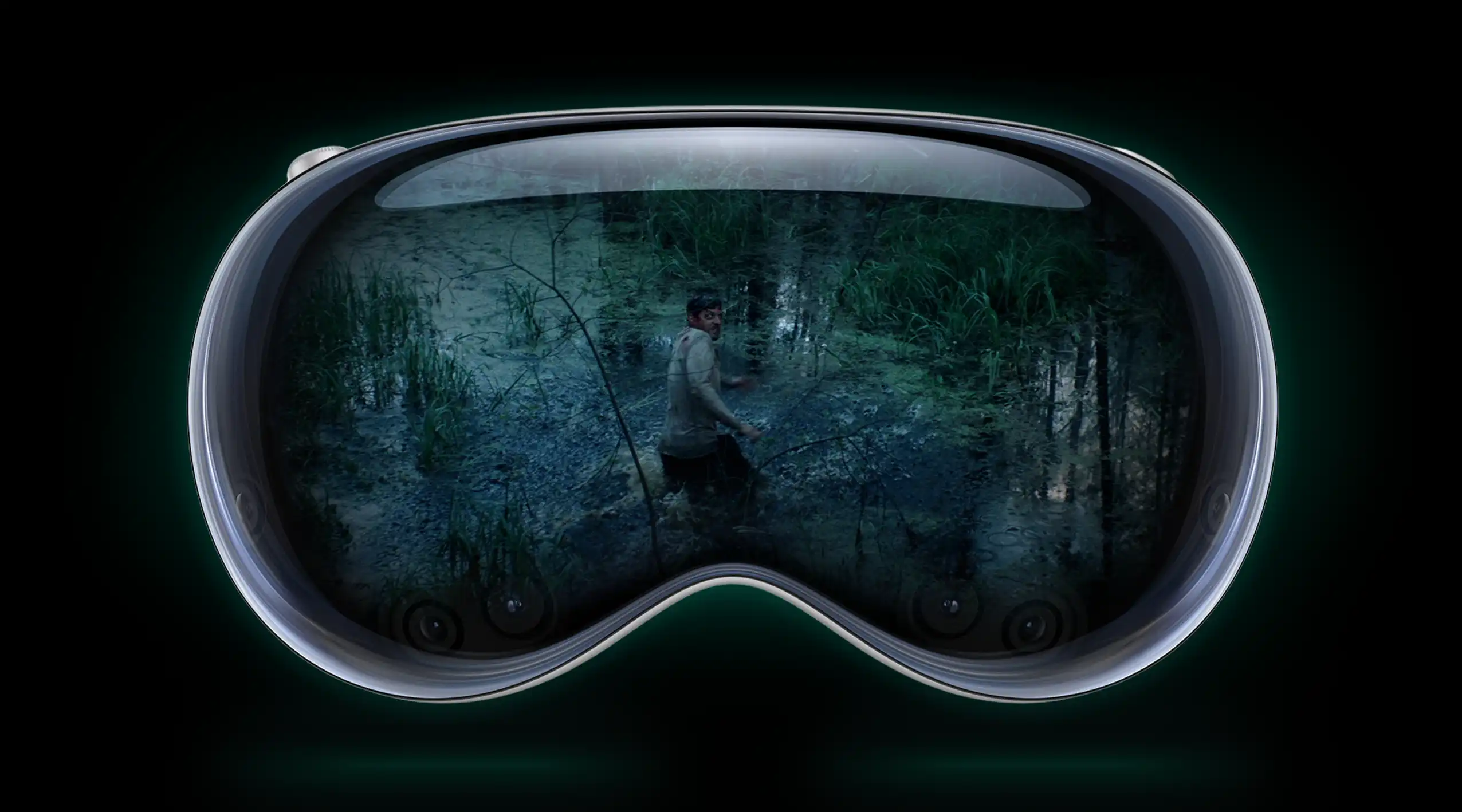
From Narnia to Avatar, QTAKE has been a key tool in stereoscopic productions, providing live ultra-low-latency 3D monitoring, instant playback, and on-set 3D editing. With the introduction of Apple Vision Pro and the Blackmagic URSA Cine Immersive camera, support has been extended to immersive productions, including ILPD (Apple Immersive Lens Processing Data).
QTAKE Monitor on all devices

With QTAKE Sync, immersive and 3D VR content can be produced with efficiency comparable to traditional 2D workflows. QTAKE Monitor for Apple Vision Pro supports both immersive and standard 3D cinema formats, enabling interactive workflows without waiting for renders or exports.
QTAKE Monitor on all devices

FITS ALL SCREEN SIZES

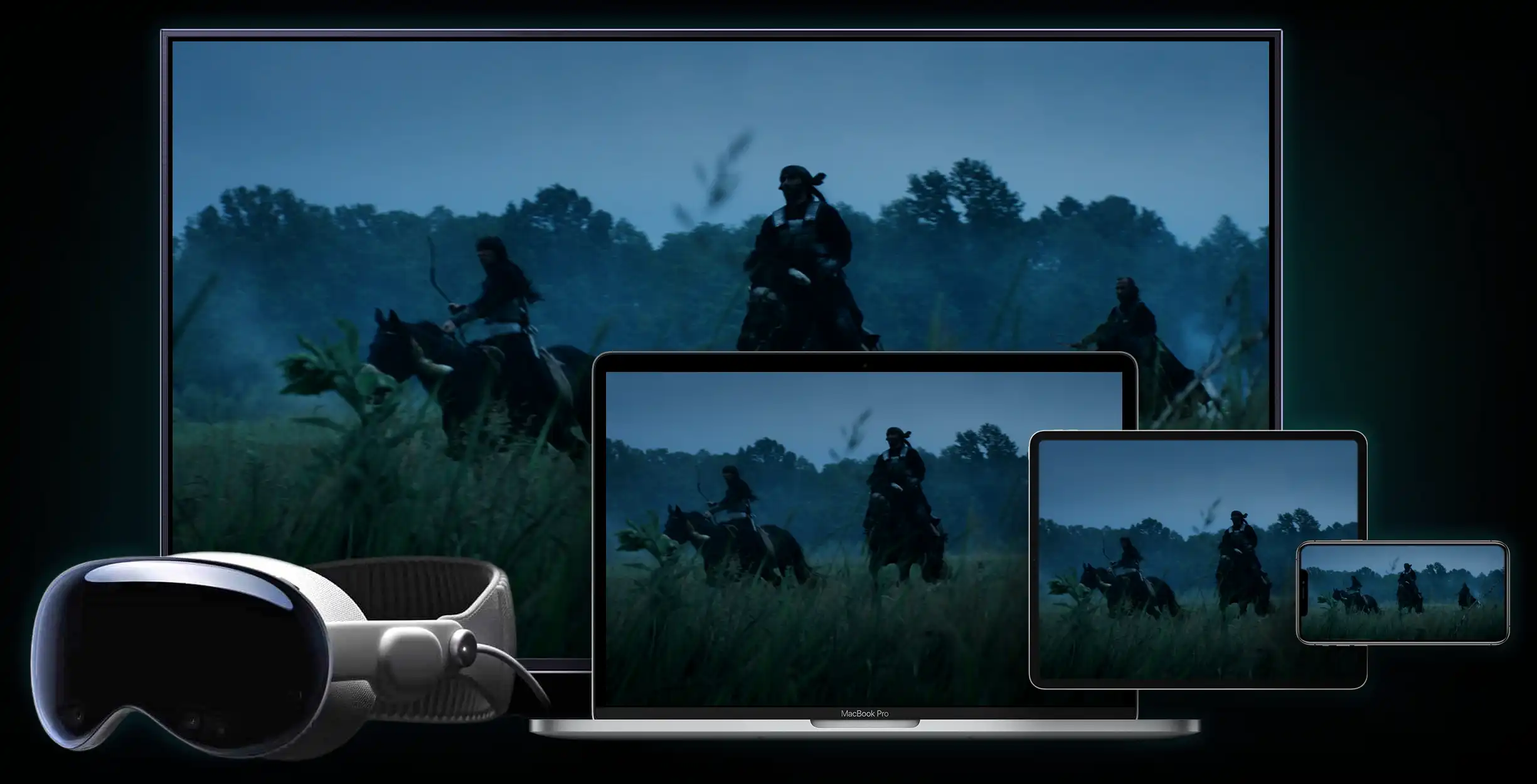
QTAKE Monitor adapts to a wide range of on-set and remote use cases. Whether used on a wrist-mounted iPhone, an iPad at video village, a Mac on set, an Apple TV in an office, or Apple Vision Pro. The experience stays perfectly consistent across all devices.

LEARN MORE ABOUT QTAKE MONITOR

QTAKE SYNC APPLICATION

EFFORTLESS ADMINISTRATION

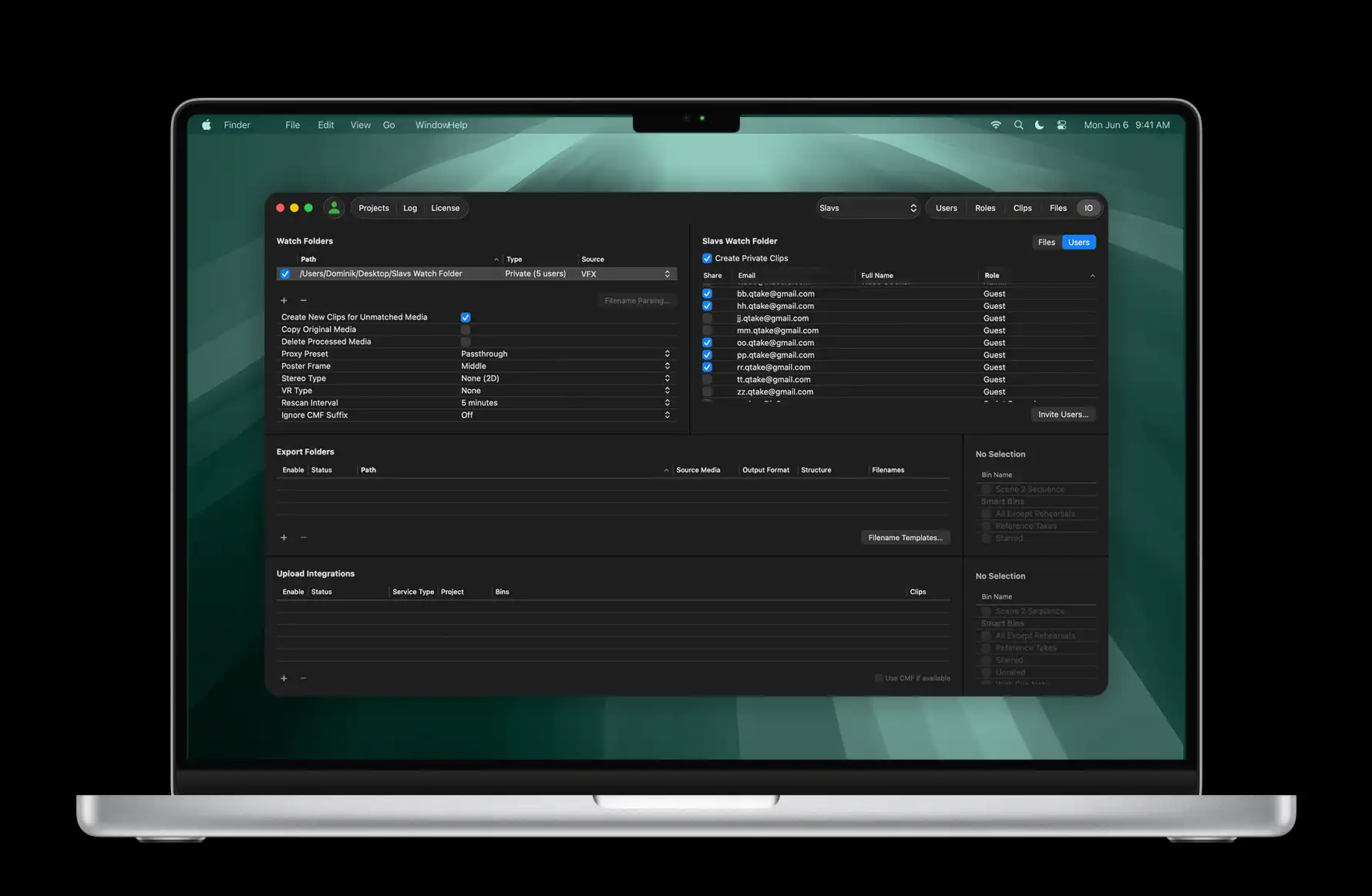
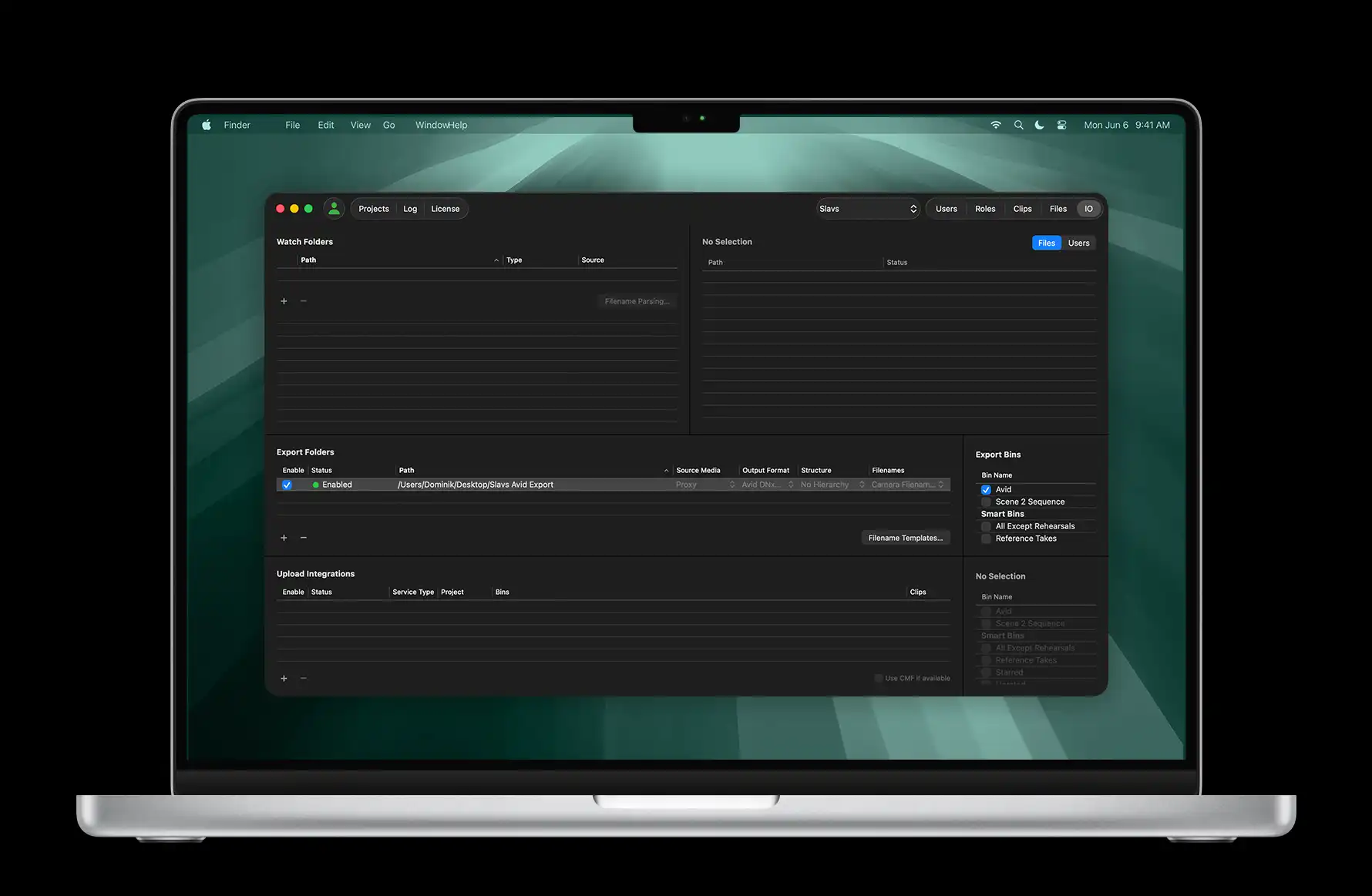
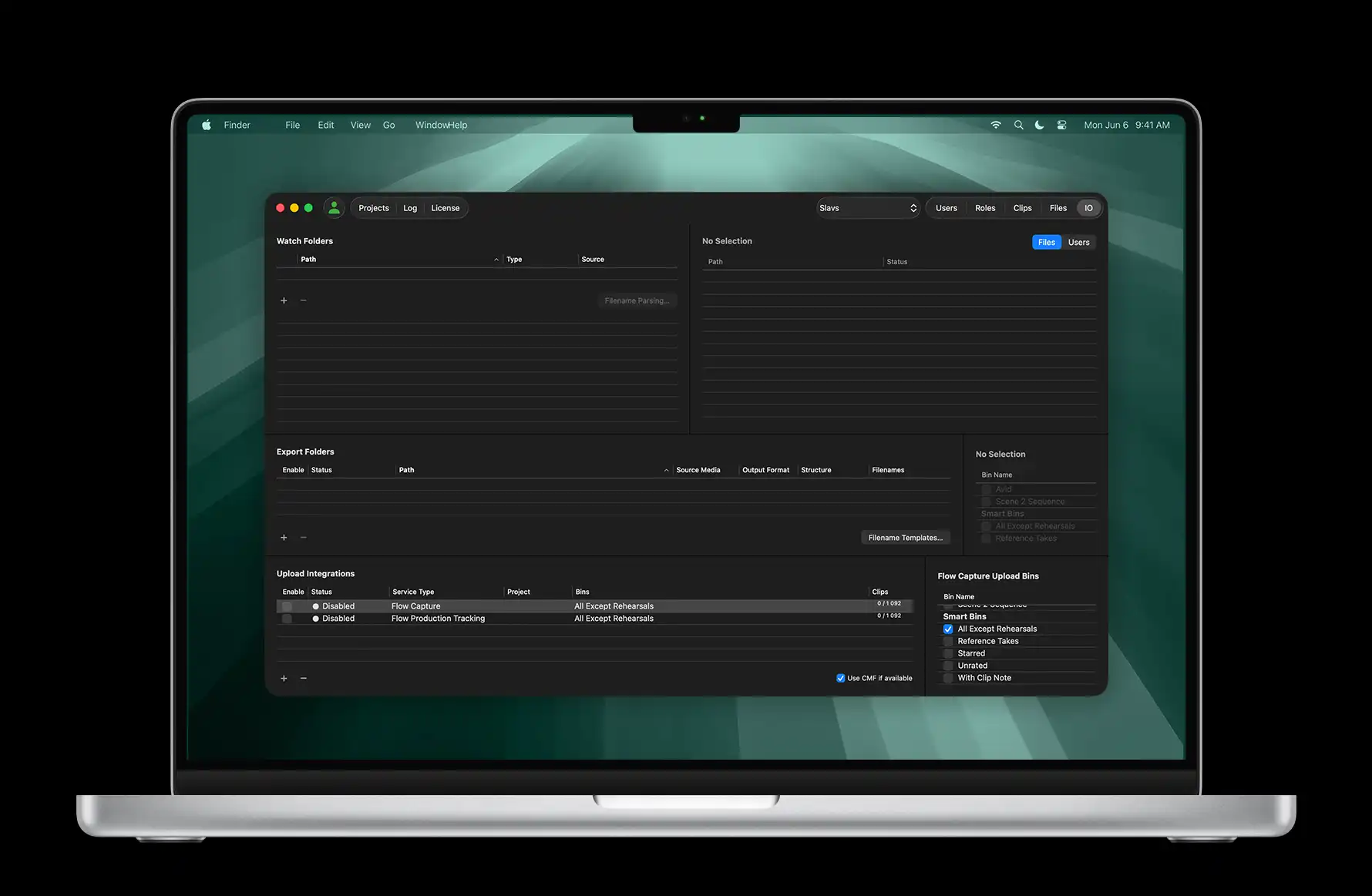
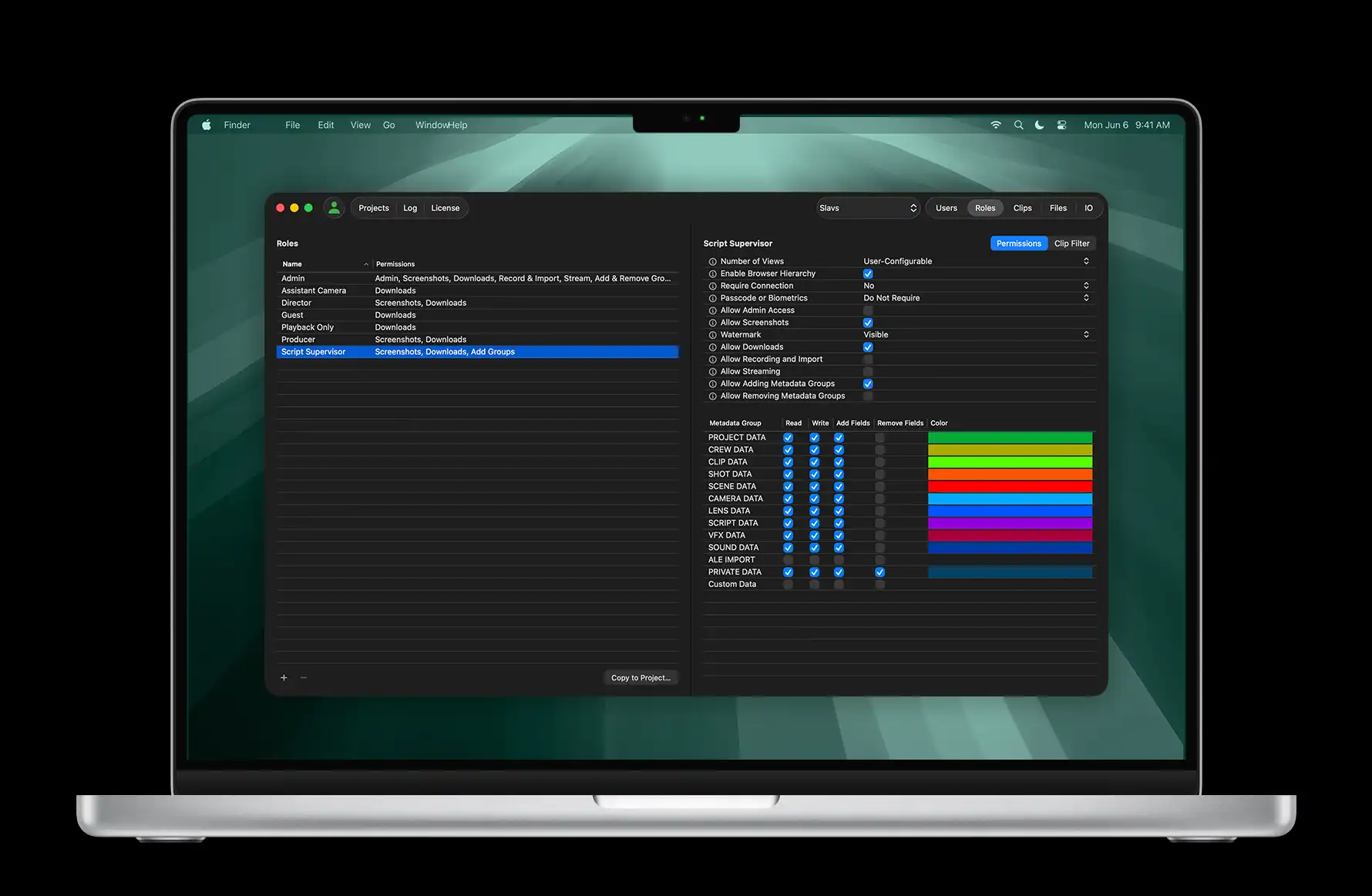
The QTAKE Sync app powers local network synchronization and provides project controls through a simple user interface. Manage access with the users and roles panel, monitor transfers via the media and files panel, set up watch folders, exports and integrations – every aspect of project administration is at your fingertips.
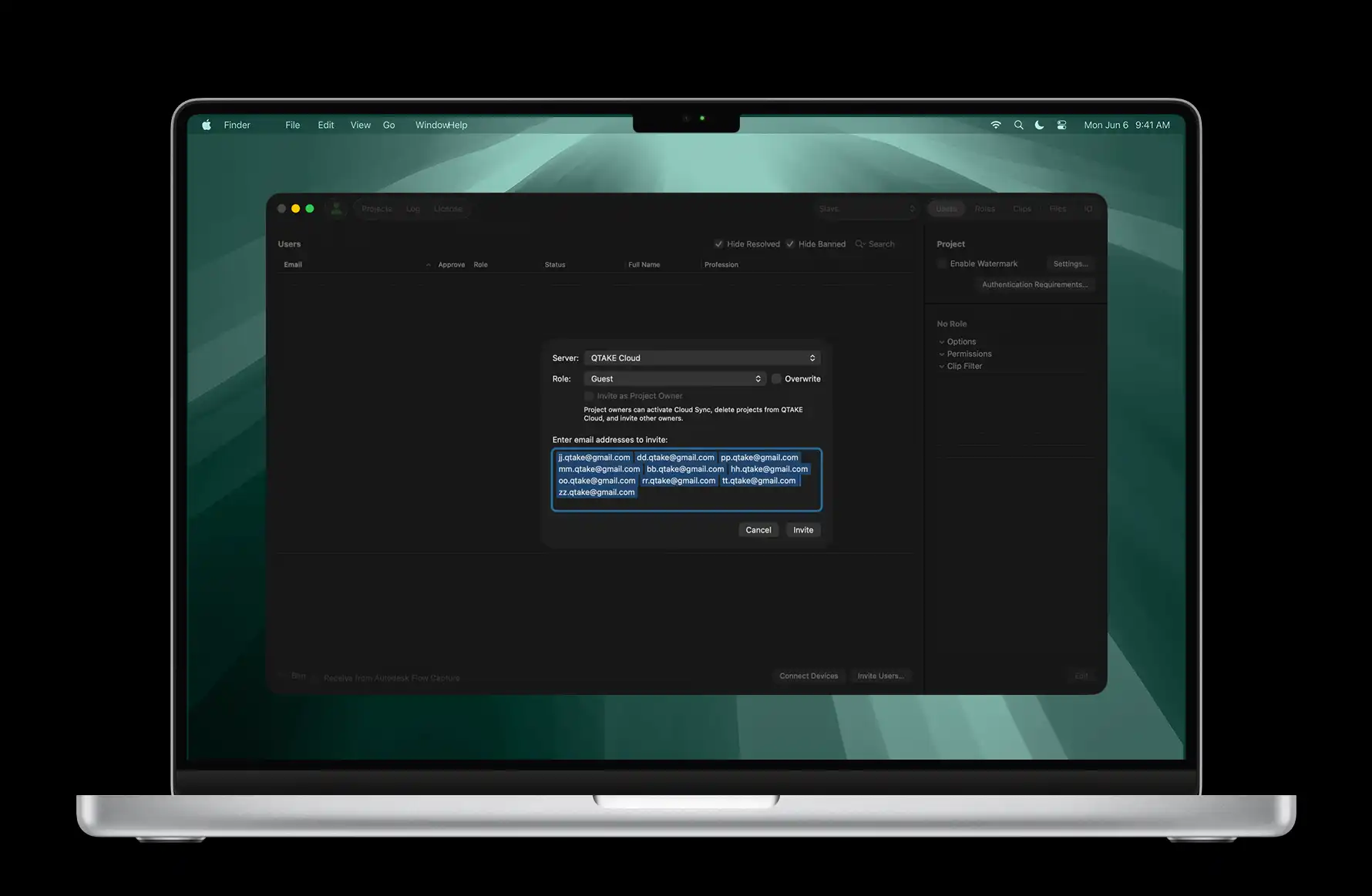
Bulk-insert user emails for quick onboarding
Role-based access to media and metadata
Import via watch folders with filename parsing
Export to native Avid format with ALE metadata
Built-in custom PDF report template creator
Automatic uploads to Moxion, ShotGrid or PIX

SET IT AND FORGET IT

Even small productions with no budget for extra staff can streamline workflows using QTAKE Sync. After initial project setup, zero-maintenance automation takes over. Need to tweak settings? Most admin controls are also available in QTAKE Monitor.

LICENSE-FREE MODE

In addition to licensed operation, the QTAKE Sync application can also be used without a paid license for asset uploads only. This allows additional units or crew members to contribute media to a project without accessing playback, review, or annotation tools – sufficient for many one-directional workflows.


MAKE DECISIONS IN REAL TIME

WHO’S GOT TIME FOR DAILIES?
NOT YOU.

MAKE CALLS IN REAL TIME

Up-to-date information is essential for making decisions. With QTAKE Sync deployed on your film set, all data is refreshed automatically and readily available. Supervisors enter data directly into the project, eliminating redundancy, while quick editorial roundtrips remove continuity or coverage concerns.

USE CASES

Producer wants to see the best takes of the day. Director wants to compare the actions of the last shot. DoP wants to check focus on the previous take. All at the same time! Impossible? Not with QTAKE.

And as an added benefit, QTAKE Sync pricing is independent of the number of users, enabling participation across all departments without increasing costs!

PRODUCER

Supervise your production remotely using secure live stream from set or watch the best takes of the day with director’s comments.

D.O.P

Review and annotate your HDR dailies on a calibrated iPad screen. Compare versions of grading and send notes back to color artist.

SCRIPT SUPERVISOR

Playback any take, any time, anywhere. Make notes faster with predefined choices. Create custom reports with more info and less effort.

SET DRESSER

View your set from multiple angles using live multi-camera feed and check continuity with independent access to clips shot on the same set.

DIRECTOR

Add your own clip markers, ratings and editor notes. Get instant access to second unit clips as soon as they have been shot.

GAFFER

Store your lighting setup as a metadata attachment for each scene. Instantly compare reference shots with a live view from multiple cameras.

VFX SUPERVISOR

Use industry standard database fields and add range notes with hand-drawings. Check live composites against pre-rendered VFX previews.

ASSISTANT CAMERA

Create better camera sheets with less effort using camera metadata readout. Instantly share your notes with the script supervisor or VFX wrangler.

OTHER USE CASE?

Get in touch.

Contact us.

WORKFLOWS

QTAKE Sync adapts to any production setup. Whether your team is working locally, remotely, or in a hybrid environment, it keeps everyone connected to the same project, media, and metadata in real time. Built to perform both offline and online, it ensures uninterrupted collaboration and instant access wherever production takes place.

SINGLE UNIT PRODUCTION

QTAKE Sync runs on a local network to provide instant access to recorded clips, extending the capabilities of traditional video assist or DIT. Instead of crowding around monitors, authorized users can view up to 9 video channels directly on their personal devices.

Each crew member can reference the live signal alongside the latest take or independently review any clip, while video village displays a synchronized feed for group viewing. Notes can be kept private or shared across departments, and custom PDF reports with thumbnails and selected notes can be generated in just a few clicks.

REMOTE ACCESS

Experience a true remote video village through native integration with QTAKE Cloud. QTAKE Sync offers the same powerful features to remote team members as if they were right on set. Producers, clients, showrunners, editorial or off-set crew use recorded clips and edit metadata just seconds after capture.

Limited internet connectivity is never an issue, as QTAKE Sync works fully offline and automatically synchronizes all changes once the connection is restored, ensuring no work and updates are ever lost.

MULTI UNIT PRODUCTION

QTAKE Sync streamlines collaboration across multiple shooting units, whether they’re on opposite sides of the lot or on different continents. As soon as one unit captures a new take, it becomes instantly available to the others, with all media and metadata kept perfectly synchronized.

Directors can review footage from another unit, and their notes are shared back just as quickly. Postproduction can also run its own QTAKE Sync instance to receive media and notes in real time and send edited or graded results back through the same seamless workflow.

NO VIDEO VILLAGE?

In case there is no video assist present, production can automatically record camera output using a tiny ScreenPort device to provide the same collaborative experience with personal playback instantly available.

For all other assets, such as transcoded clips from DIT or 3rd party recorded clips, QTAKE Sync provides watch folders for automatic ingest. Using custom filename parsing all imported assets can instantly get basic metadata essential for navigation within the project.

SECURITY IS KEY

The power to instantly share pre-release content comes with the responsibility to protect it.
QTAKE ecosystem is equipped with the most complete security feature set ever found in a collaboration tool.

TWO FACTOR AUTHENTICATION

In addition to complex password requirements set according to MPA guidelines, QTAKE provides a built-in TFA system with authorized devices used as hardware tokens.

SINGLE SIGN-ON VIA SAML

Large-scale productions and studios who prefer to use their own user authentication and identity management system can use our SSO integration with SAML 2.0 compatible identity providers.

END-TO-END ENCRYPTION

QTAKE is streaming only to authenticated and authorized clients and uses true end-to-end encryption to provide protection against man-in-the-middle attacks.

SCREENSHOT PROTECTION

Using DRM-like content protection on the system level, only approved crew members are able to create screenshots or screen-recordings on their monitoring devices.

VISIBLE WATERMARK

QTAKE offers a system-wide watermark with custom size, position, and transparency level for visible identification of the pre-release content and authorized user.

INVISIBLE WATERMARK

In case visible watermarking is not an option, productions can use the latest forensic watermarking technology from NAGRA, available in both live stream and playback.

SECURITY ASSESSMENT

All applications inside QTAKE ecosystem are audited on a regular basis by Independent Security Evaluators to comply with the latest standards in content protection.

USER ACCESS CONTROL

Rich set of permissions grouped in customizable user roles offers fine-grained access control to media and metadata in order to streamline the collaboration workflow.

TRUSTED CHOICE OF

Warner Bros. Entertainment Inc. HBO - Series, Movies, Comedies & Documentaries The Walt Disney Company Lucasfilm Ltd. LLC American film and television production company Amazon.com Prime Video Netflix 20th Century Studios Apple TV+

LET’S START THE CONVERSATION

Every production is different, and so is every workflow. If you’d like to learn how QTAKE Sync can support your setup, we’re here to help.

FROM SET TO POST DONE RIGHT

Get in touch with our team to discuss your production needs, review your current workflow, and explore how QTAKE Sync can be integrated into your production. Reach out to start the conversation.

CONTACT US